You're running an entire AI stack— by yourself.
A chatbot for writing, a tool for images, one for music, one for scheduling posts — each a small charge. Add them up and it's not small. SubMan brings it all into one place, and shows you what's worth keeping and what's quietly draining your card.
Free during beta. Early users get 2 months of Pro free at launch — no credit card required.
10–20
AI tools the average solo creator pays for
$50–300
disappears every month, most of it untracked
?
tools you're still paying for but stopped using weeks ago
Working alone means you're also your own accountant.
There's no finance team to remind you. No one sends a month-end report. You try a new tool for one project, get pulled into the next thing — and three months later it's still charging your card.
SubMan does that part for you: tracks every AI tool, reminds you before you're charged, and points out what you've actually stopped using — so you cancel on purpose, not because you just found out.
Everything in one dashboard
From adding your first subscription to cutting the ones that waste money.
Ready-made AI catalog
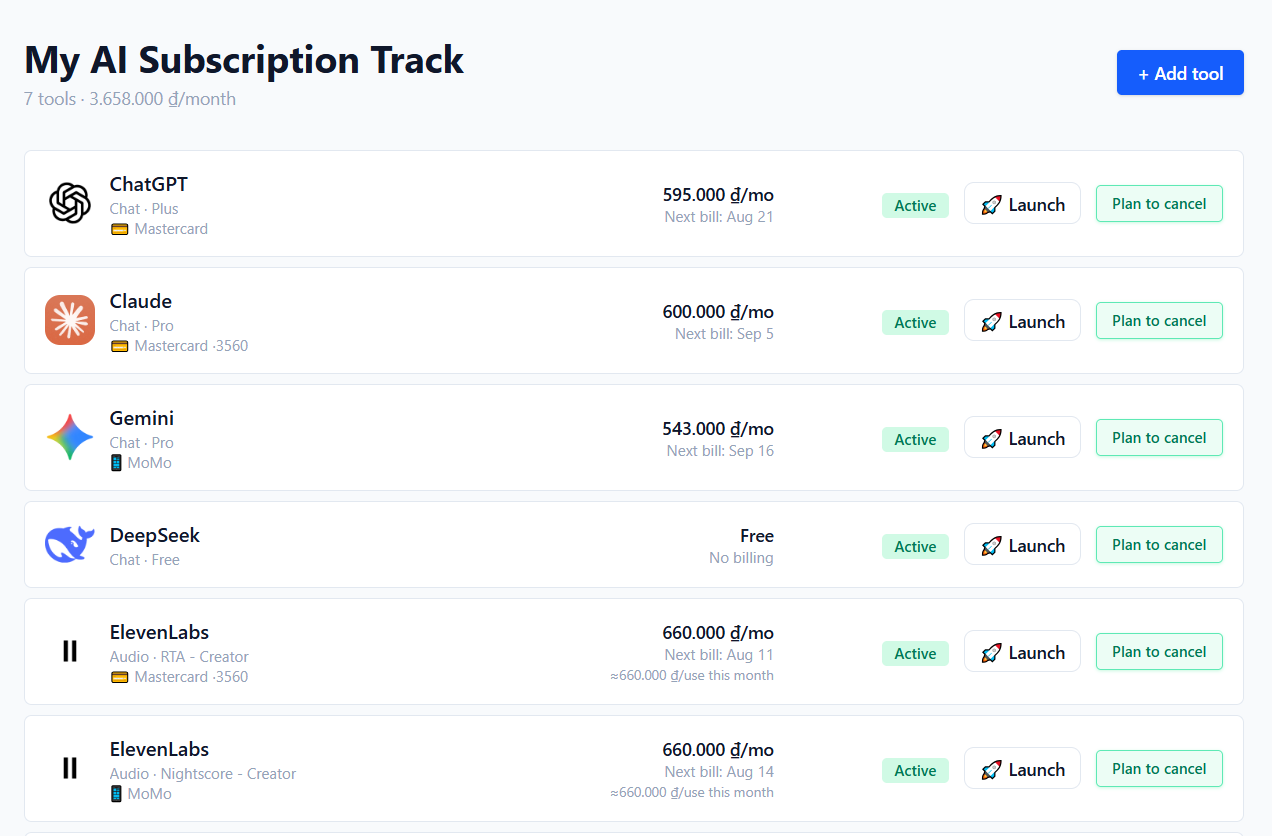
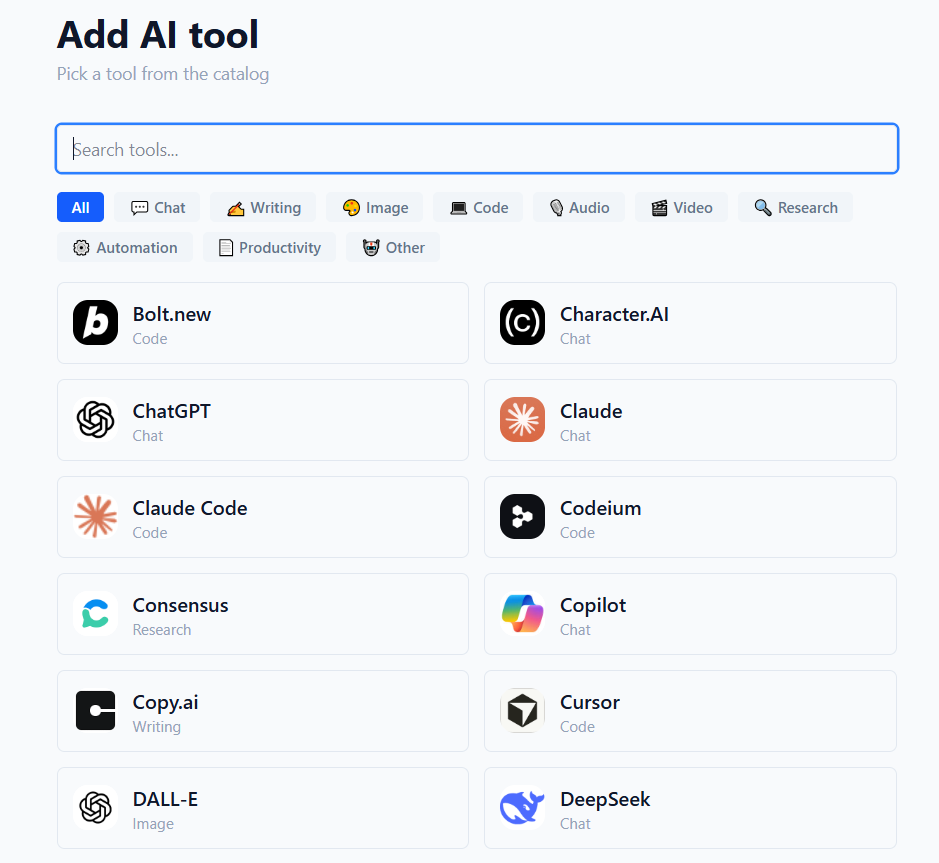
Pick from popular AI tools — Chat, Writing, Image, Code, Audio, Video, Research — with plans and prices ready to go. Add one in seconds, no typing required.
Overlap detectionComing soon
Paying for two tools that do the same job? SubMan understands your AI stack: it sees you have three chat tools, two music tools — and suggests which one to keep.
Cost per use
Not just "$50/month." SubMan shows you: "$50/month, used 3 times = $16 per use." That number tells you which tools are actually worth it.
Billing dates & cancel reminders
Never get surprise-charged again. Track renewal dates and get reminded before a plan you meant to cancel renews.
30-second usage logging
Log how long you actually used each tool. Takes less than 30 seconds a day.
Weekly email report
Every Monday morning: your total spend, upcoming billing, and unused tools — straight to your inbox.
Every morning, one place to start.
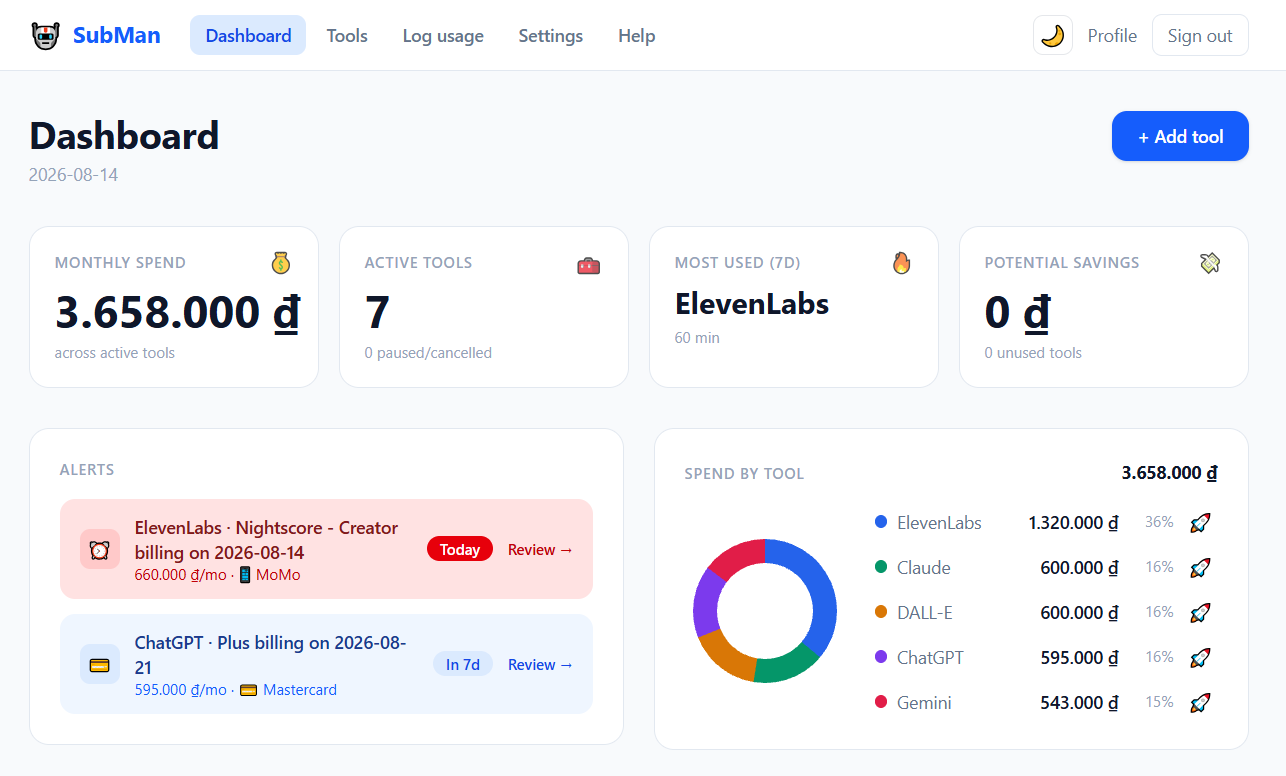
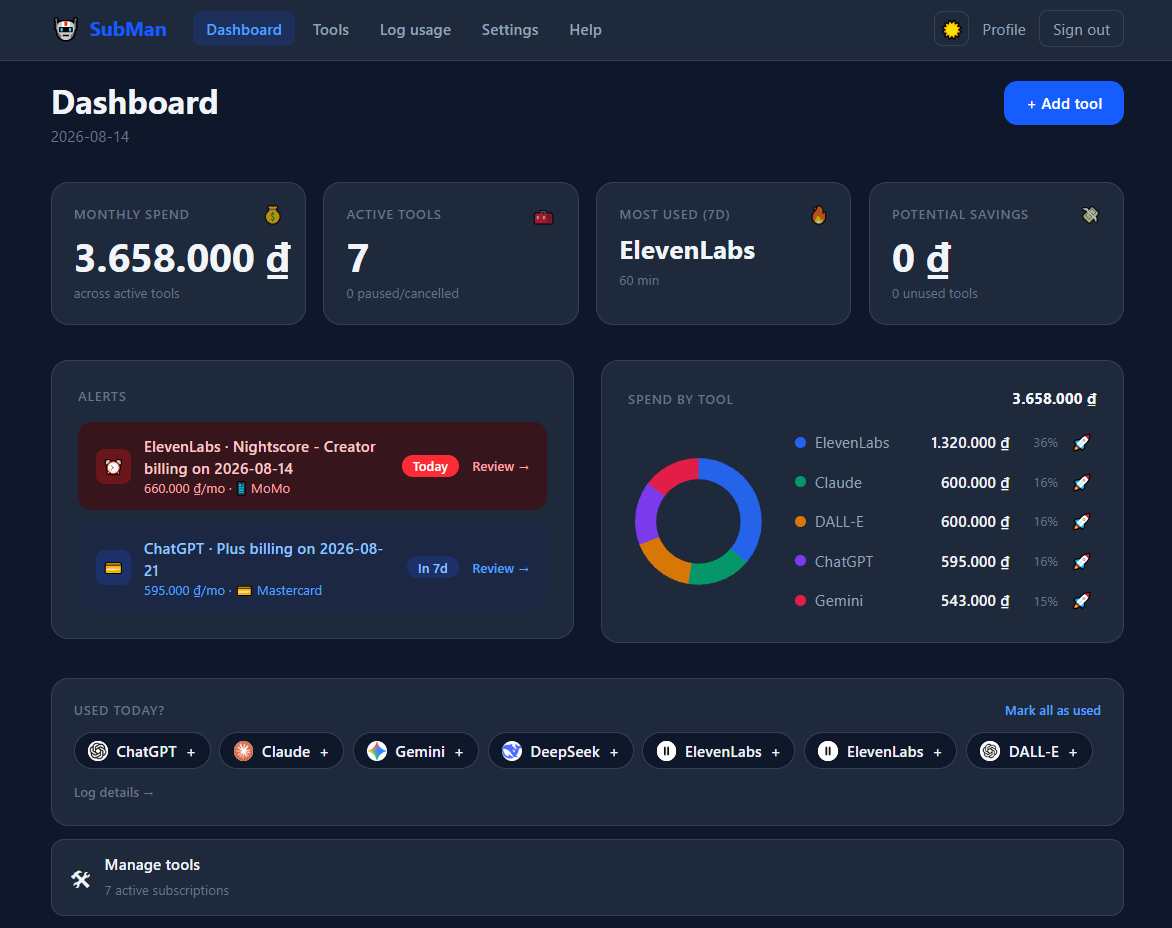
Open SubMan. See what's billing today, how much you've spent this month. Launch straight into the tools you need — it logs itself. By the end of the week, you know exactly which dollar is working for you and which one is wasted.
Not another dashboard to manage. A place you check, then get back to work.
Everything in one screen.
Built for people running things alone.
“I use ChatGPT, Claude, and a writing tool — turns out I was paying for two that do almost the same thing.”
Writer / content creator
“Midjourney, a video tool, a voiceover tool... a little each month, and it adds up to a shock.”
Image / video creator
“I need to know which tools are real business costs I should track, and which ones I can just cut.”
Freelancer / one-person business
SubMan is in beta — these are the people we're building it for.
Simple pricing
Free
$0/month
- ✓Unlimited tools & usage logs during beta
- ✓Daily launcher — open a tool, usage logs itself
- ✓Dashboard with billing & unused alerts
- ✓Weekly email report
Pro
$9/month
- ✓Unlimited tools & usage logs after beta
- ✓Automatic usage tracking (browser extension)
- ✓AI-powered overlap detection
- ✓Full usage history & CSV export
Launching soon
Common questions
What is SubMan?
One dashboard for every AI subscription you pay for. It tracks what you spend, flags tools you have stopped using, and reminds you before a renewal charges you — so you cancel on purpose rather than by surprise.
How is SubMan different from other subscription trackers?
Most trackers manage everything — Netflix, the gym, your electricity bill. SubMan focuses on one thing: the AI tools solo builders depend on every day. It understands which tools overlap with which, so it can do things a general-purpose tracker can't.
Is SubMan free? How does the beta work?
Yes. During the public beta every feature is free and unlimited, with no credit card required. When the beta ends, accounts created during it keep their beta access as founding members.
Does SubMan connect to my bank or charge me automatically?
No. SubMan never connects to a bank, never touches your money, and cannot cancel anything for you. Everything you see is what you entered yourself. The optional payment field stores only an identifying label, such as "Visa ·4829" — never a full card number, expiry, or CVV.
How is monthly spend calculated for yearly or lifetime plans?
The headline number is a monthly run rate: monthly plans count in full, yearly plans are spread over 12 months, and lifetime purchases count as zero because they have no recurring cost. The line underneath shows what is actually billed in the current month.
How is my data secured?
Sign-in is handled by Clerk, and your data sits in an isolated workspace that only your account can read. Traffic is encrypted in transit, and no payment credentials are ever stored. You can delete a subscription — or ask us to remove your account — at any time.
Stop paying for tools you don't use
Add your first subscription in under 2 minutes.
Start free